
Your Cart is Empty
QUALITY AND CUSTOMERS SATISFACTION IS OUR MAIN PRIORITY


Pet sitters’ AirTag dog collar setup is a collar-mounted item tracker with the aim of adding a backup location clue during temporary care. For boarding and sitting, the priorities are secure attachment, access to the owner’s shared tracker, and a clear response plan—not simply putting an AirTag on a dog.
Temporary care creates an access problem: the dog’s owner controls the tracker, while you handle the walks, doors, and daily checks. An AirTag attached to a collar does not automatically appear in your Find My app.
AirTag uses Apple’s Find My network rather than its own GPS and cellular connection. Nearby participating Apple devices can relay its location, so a map position is not a continuous view of the dog’s movements. Apple describes AirTag as an item-finding device, not a pet-tracking system.
Treat an AirTag as a backup clue, never as permission to relax supervision. A location timestamp matters as much as the map pin, especially when you are deciding where to search.
Fureverfriends suits dog owners shopping for everyday dog accessories, not sitters seeking a dedicated tracking service. Use this 2026 guide to separate ordinary walking supplies from the account access, attachment checks, and response procedures that tracking requires.
Start with a conversation and a written care note. Ask what the owner expects the tracker to do, who receives updates, and who takes action if the dog goes missing. Correct any assumption that AirTag offers uninterrupted live tracking.
Agree on 2 contact numbers: the owner and an authorized backup. This is a recommended handoff practice, not an AirTag requirement. If the owner becomes unreachable, you still need someone who can answer questions about the dog and authorize next steps.
For boarding, explain your collar policy before arrival. A tracker cannot justify leaving a collar on during activities where your facility’s safety procedures require removal.
The manual starting point is a joint check on the owner’s phone and yours. Apple supports sharing an AirTag through Find My with compatible accounts and devices. Have the owner complete the sharing process, then accept the invitation and check that the correct tracker appears.
Do not confuse a screenshot with access. A screenshot shows a past view; it does not let you check the tracker during a walk. Keep the owner present until you have tested the actual arrangement.
If your phone or account cannot use the shared item, document that limitation. Ask the owner to remain available for location checks, or discuss a dedicated pet tracker whose access arrangements fit your setup. Do not exchange Apple Account passwords.
For your 2026 handoff checklist, make access verification a separate task from attaching the tracker.
Use the dog’s existing, properly fitted walking equipment as your starting point. Check the collar, buckle, leash attachment, and tracker holder by hand. A secure holder on a damaged collar is still an unsafe setup.
A close-fitting holder keeps the tracker near the collar, but it must match the collar’s width and construction. A hanging holder is simple to attach, yet adds something that swings and can catch during activity. Neither style earns a recommendation from appearance alone.
Fureverfriends lists a QR-code anti-lost dog collar. A QR-code collar is not evidence of AirTag compatibility; check the product information rather than assuming it includes a tracker pocket or holder.
Do not use the tracker holder as a leash connection. Keep walking loads on equipment designed for that purpose.
Before buying another accessory, lay out what you already use: the dog’s fitted walking equipment, readable identification, waste bags, and drinking water. Decide how you will carry these while keeping your hands available for the leash.
Fureverfriends sells dog water bottles and walking accessories, but those supplies serve different jobs from an AirTag. A water bottle supports a drinking break; a leash supports controlled walking; an item tracker offers a possible location clue. Combining them does not make any one item a substitute for another.
For multiple dogs, check each setup individually. A shared bag of supplies is useful, but tracker names, fit checks, and contact details must stay specific to the dog.
A practical 2026 walking checklist should describe actions, not just equipment you own.
A paper sheet or shared note works. Keep 1 record per dog so another sitter does not have to interpret a list of similar tracker names. Include attachment status, access status, and the person responsible for the next walk.
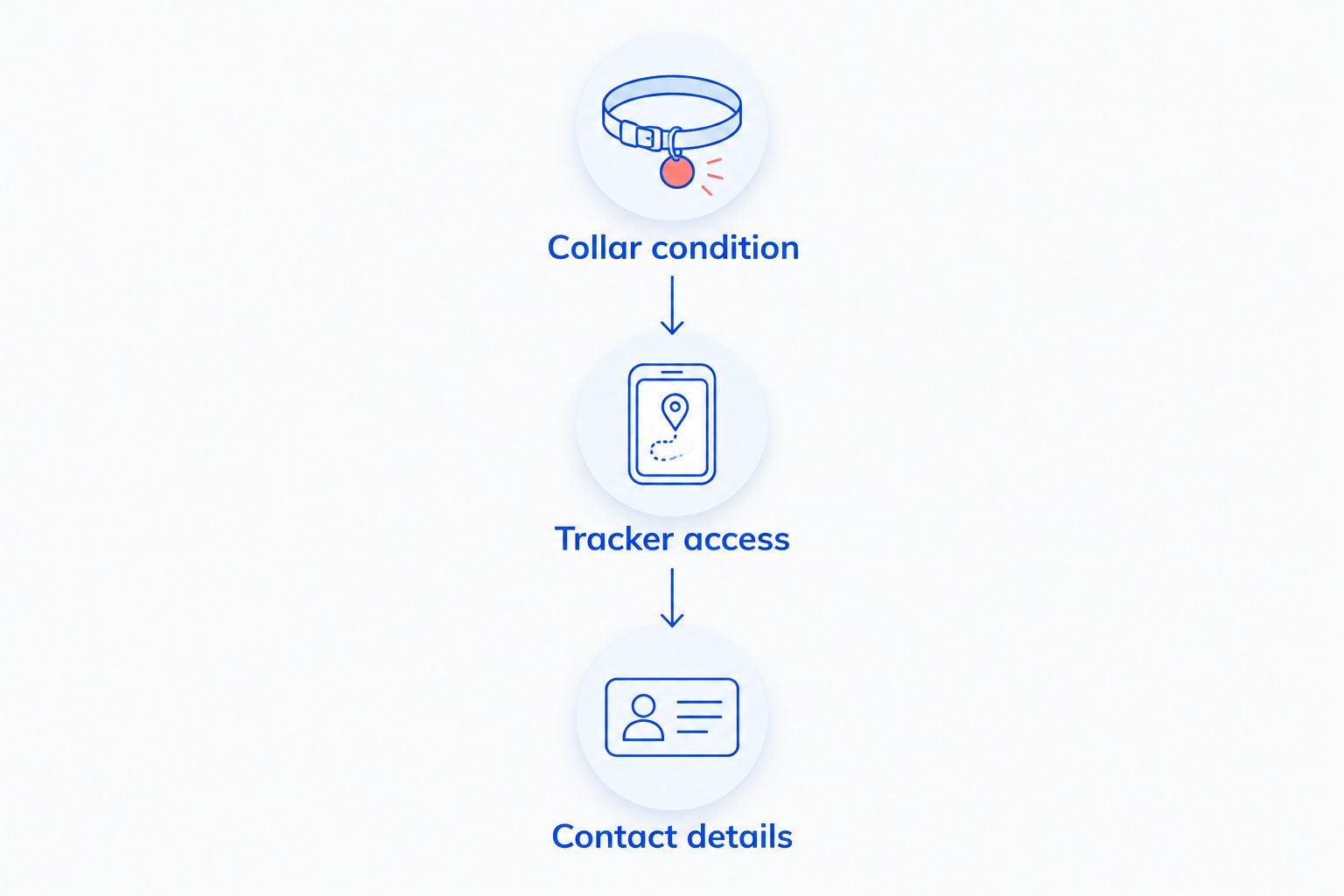
Use 3 checks at a staff handoff: collar condition, tracker access, and contact details. These are suggested operating checks, not a guarantee against escape. They make responsibility explicit when a dog moves between a home, vehicle, boarding area, or another caregiver.
Collar removal also needs a handoff. If a collar comes off for grooming or under a boarding policy, store it in the dog’s labeled belongings and document who will refit it. A tracker left on a shelf locates the shelf, not the dog.
Write the response plan while the dog is safely with you. Include the owner’s contacts, a recent dog photo, identifying features, and the local organizations you would contact. Keep it accessible without searching through a long message thread.
If the dog escapes, use the latest tracker information alongside direct observations. Read the update time before treating a location as current. A stale location narrows a past position; it does not establish where the dog is now.
Secure other dogs before searching and notify the owner promptly. Do not enter private property or put people at risk because of a map pin. Contact local animal services or shelters as appropriate, following their reporting procedures.
Choose the option for the job, not the most reassuring product name. Identification helps a finder contact you; tracking supplies location information under its own technical limits. Physical supervision remains necessary with either approach.
| Option | Best for | Main advantage | Key limitation |
|---|---|---|---|
| AirTag in a close-fitting collar holder | Temporary care with tested Find My sharing | Keeps an item tracker attached close to the collar | Not live GPS; holder fit and network coverage matter |
| AirTag in a hanging holder | Checking compatibility with an existing collar attachment | Can attach without replacing the whole collar | Adds a swinging attachment and potential snag point |
| Dedicated GPS pet tracker | Owners prioritizing a pet-location system | Designed around pet-location use | Access, coverage, charging, and service terms vary by device |
| Readable ID tag | A finder who needs immediate contact information | Does not require access to the owner’s tracking account | Supplies no remote location information |
| QR-code collar | A finder able to scan and open linked information | Can direct a finder to digital identification information | Requires a working code, accessible information, and a willing finder |
For an AirTag dog collar for pet sitters in 2026, the strongest selection criterion is a setup you can actually use. A collar-mounted tracker with inaccessible sharing is less useful to you than its appearance suggests.
Before choosing any digital identification option, test the finder’s experience too. Make sure the intended contact details are readable or accessible without exposing unnecessary personal information.
A Find My location includes timing information for a reason. Read the timestamp before acting on the pin. During a search, distinguish a direct sighting from a network-reported location so helpers do not confuse the two.
An AirTag-compatible collar, an AirTag holder, and an AirTag are different items. Check what the listing actually includes. QR-code identification is another separate feature, not a synonym for Apple tracking.
The owner’s departure is the wrong moment to discover an unaccepted invitation or incompatible setup. Make the shared-item test part of arrival, while the owner can still resolve account questions.
Tracking does not override safe handling procedures. If your boarding environment requires collar removal, explain that the AirTag will not remain on the dog during that period. Agree on the arrangement before accepting care.
Equipment does not decide who checks it. Put a named caregiver against collar refitting, walking checks, and owner communication. This matters most when several people share boarding duties.
Is an AirTag dog collar for pet sitters a GPS tracker?
No. AirTag is an item tracker that uses Apple’s Find My network, not a dedicated GPS pet tracker. Treat its location and update time as backup information rather than continuous monitoring.
Can my dog’s sitter see my AirTag in Find My?
A sitter with a compatible account and device can use an AirTag shared through Find My. Complete sharing and test access together before the owner leaves; attaching the tracker does not grant access.
What is the best AirTag collar setup for boarding?
The best setup is a correctly fitted collar and secure compatible holder that follow the boarding facility’s safety policy. Confirm shared access separately, and agree what happens when the collar must be removed.
Is a QR-code dog collar the same as an AirTag collar?
No. A QR-code collar provides scannable identification information, while an AirTag-compatible collar holds an Apple item tracker. Neither feature implies the other is included.
Can an AirTag prevent a dog from escaping?
No. An AirTag provides location-related information under its network limits; it does not secure a gate, restrain a dog, or replace supervision. Use suitable walking equipment and controlled handoffs.
Does Fureverfriends sell a verified AirTag-compatible collar?
Confirm compatibility from the specific product information before buying. A QR-code collar listing alone does not establish that it holds an AirTag or includes a tracker.
What should a sitter do when the AirTag location looks old?
Treat an old location as a past position, not proof of the dog’s current whereabouts. Check the update time, contact the owner, and combine tracker information with direct sightings and your missing-dog response plan.
Test the handoff, not just the hardware. Before your next booking in 2026, have the owner watch you open the correct shared tracker, check its timestamp, and locate the emergency contacts. That short rehearsal reveals an access problem while the person who can fix it is still beside you.